Watchyard

Unofficial, self-hosted, AGPL-3.0

One board for every Claude Code account and machine.

See every session's state, every account's limits, and get a notification when a session needs you. It runs on your own hub, with no cloud service in the middle. Built for Claude Code, and agent-neutral: Codex CLI, Gemini CLI and more are next.

Install View on GitHub

For Linux and macOS (Windows with gaps) and Android 12+. Get it from the latest release, or build from source.

What it does

  • One board

    Every session on every machine, grouped by account: working, needs permission, asked a question, done, failed. In a browser, in the terminal, or as a web app on your phone.

  • Every account's limits

    5-hour, 7-day and per-model usage with reset times and history, so you can see which account still has room. It never switches accounts for you.

  • Alerts that find you

    A notification when a session needs you: on the Android app over its own connection to your hub (no Google push), as Web Push, through ntfy, or on the desktop.

  • Account setup and sharing

    One command labels your config folders and makes them share settings, skills, plugins and MCP servers. Logins are never touched, and every change can be undone.

  • Peers

    Sessions in your different accounts and machines can message each other, gated by a matrix you sign with your own key. The hub relays ciphertext only.

  • Yours to host

    One static Go binary and one SQLite file, on your laptop, a home server or a small VPS. The hub never talks to Anthropic and never holds a login.

See it

Sample data from the mock hub: sessions that need you, every session, account limits, peers, and an alert on Android. About 25 seconds, no sound, loops.
Text transcript of the demo
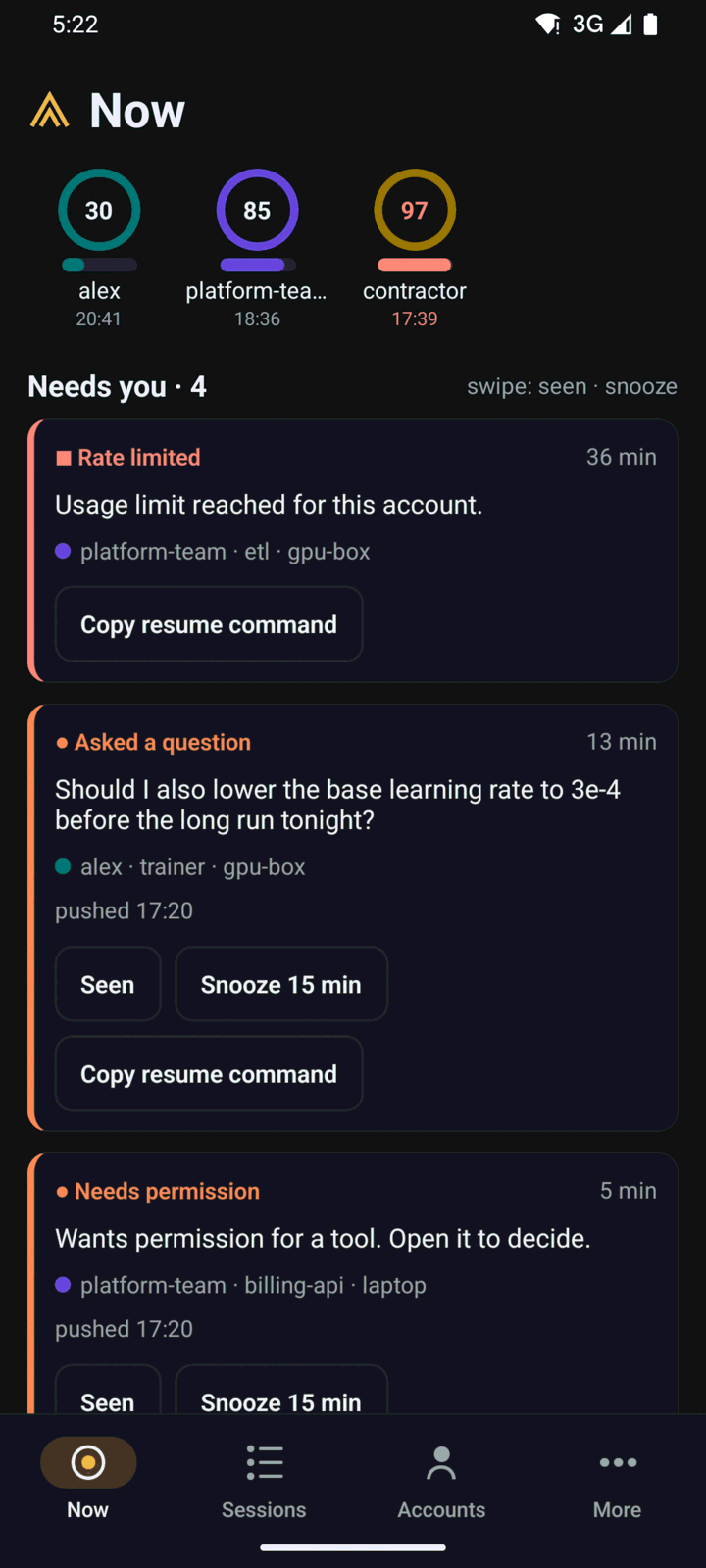
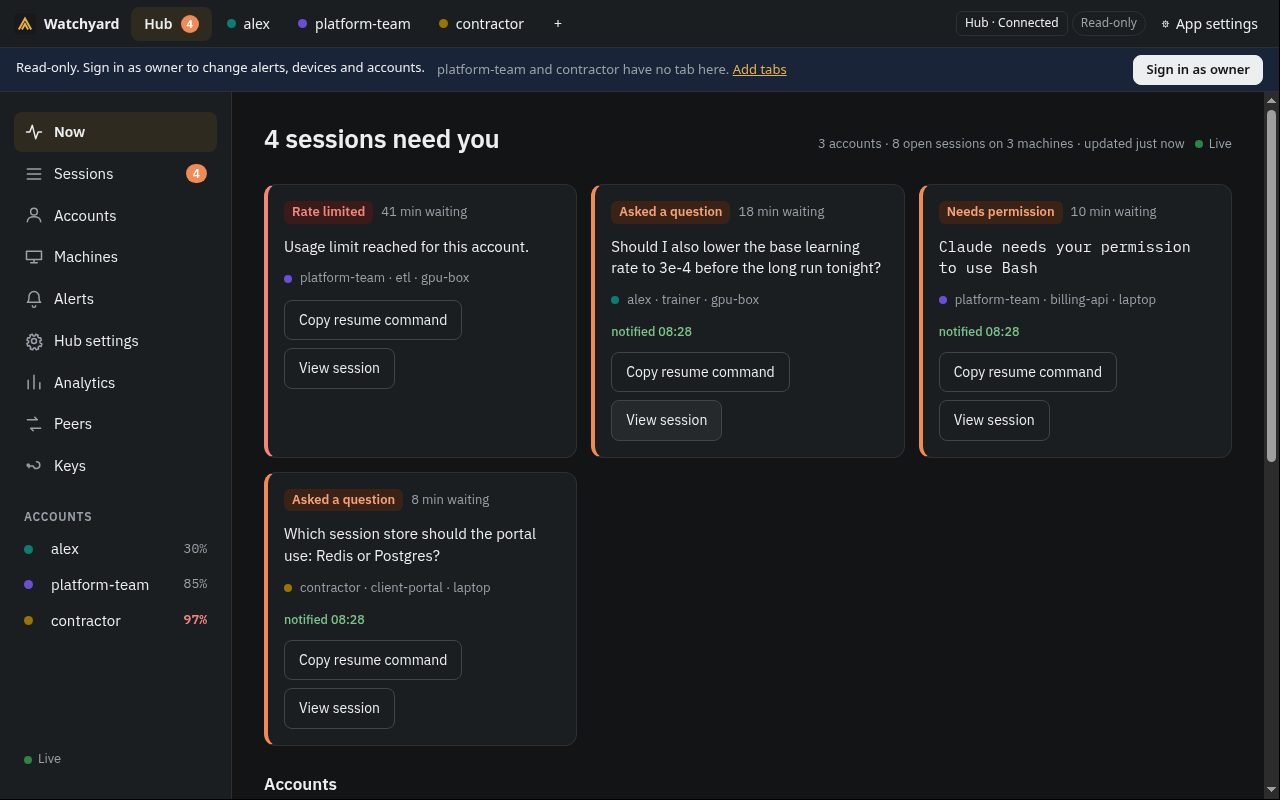
  1. The board's Now screen: "Every session that needs you, across accounts and machines." Four sessions are waiting: a rate-limited account, two questions from Claude and a permission request, each with the account, project and machine, and buttons to copy the resume command or view the session.
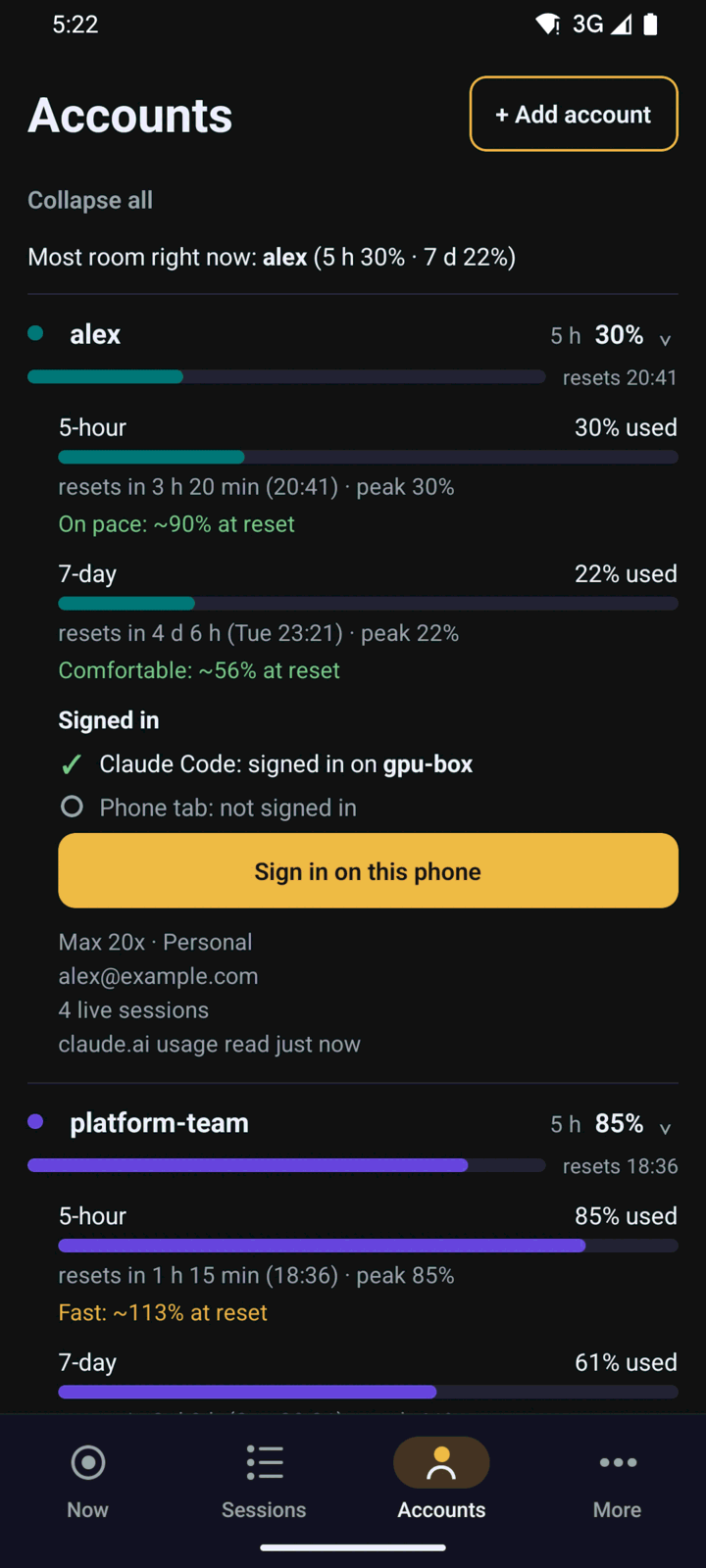
  2. Scrolling down, the accounts with their 5-hour and 7-day limits and reset times.
  3. Sessions: every session on every machine, live.
  4. Accounts: which account has room right now.
  5. Peers: sessions in different accounts can talk, only where you allow it.
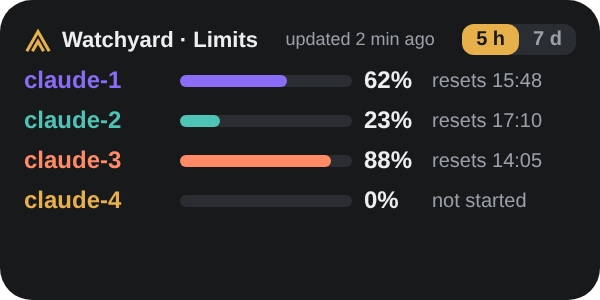
  6. An Android phone's lock screen: a notification "work, api, asked a question" with Open, Snooze 15 min and Seen, then a limits widget showing every account's usage.

Android home-screen widgets

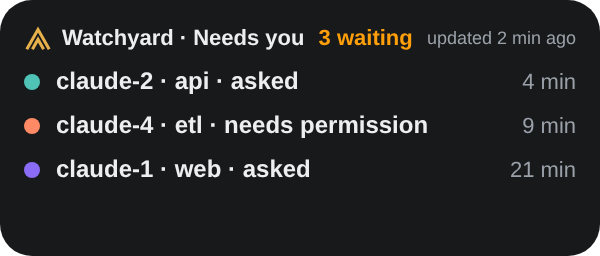
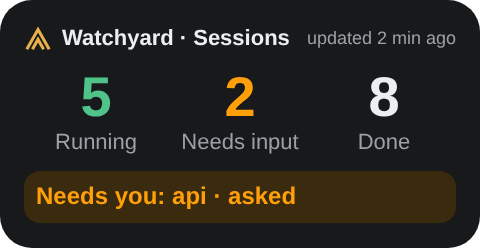
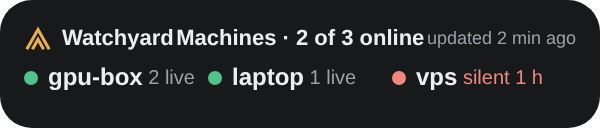
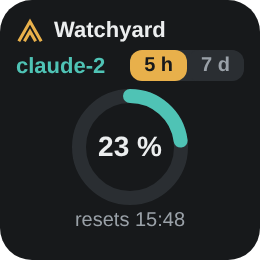
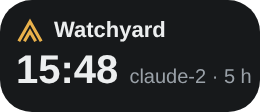
Rendered previews from the app. Six widgets: limits, ring, needs-you, sessions, machines and next reset.

Limits widget: four accounts with 5-hour usage bars and reset times Needs-you widget: the sessions waiting for you Sessions widget: running, needs input and done counts Machines widget: the machines reporting to your hub Ring widget: one account's tighter window as a ring Next-reset widget: when the next usage window resets

Install

Needs Claude Code, on Linux or macOS. This runs the hub on the same computer. On Windows, see the Releases section of the README.

  1. Install wy

    curl -fsSL https://github.com/mraj602/watchyard/releases/latest/download/install.sh | sh

    It installs a checksum-checked wy in ~/.local/bin and changes nothing else. Prefer to build it? Needs Go 1.27+, make and git:

    git clone https://github.com/mraj602/watchyard.git && cd watchyard
    make build && install -D -m 0755 dist/wy ~/.local/bin/wy
  2. Set up and open the board

    wy setup            # shows a plan first; choose "Just this computer" for the hub
    wy hub owner-link   # open the printed link: the board, signed in as the owner

Restart your open Claude Code sessions afterwards so they load the plugin. Everything wy setup changes is backed up, and wy setup --undo reverses it. Want to look first? wy setup --dry-run prints the plan and changes nothing.

A hub on a server, more machines and the phone: see the install guide.

Apps

Desktop app

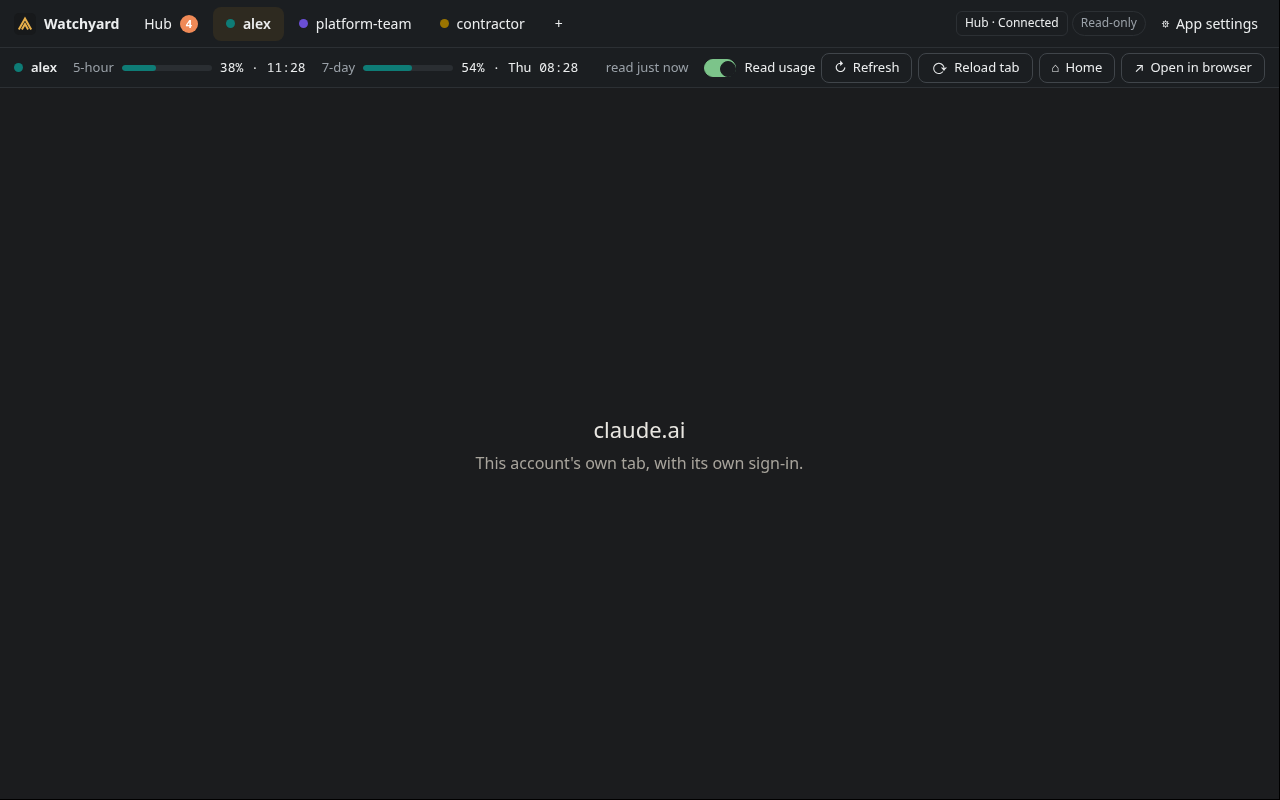
One tab per claude.ai account, each with its own sign-in, a usage strip per account, and the board in a Hub view. Linux (AppImage, deb, rpm), macOS (dmg) and Windows (installer).

Unsigned builds. Packages are not code-signed, so macOS and Windows warn on first start. Download one from the latest release and check it against SHA256SUMS-desktop, or build it with make app-dist.
Desktop guide

The Watchyard desktop app with a tab per claude.ai account, Hub, alex, platform-team and contractor, and a usage strip under the active tab showing its 5-hour and 7-day limits. The desktop app's Hub view: the board's Now screen with four sessions that need you (a rate limit, two questions and a permission request) and the three accounts in the sidebar.

Android app

The board's screens, native notifications with Open, Snooze and Seen, and six widgets. Android 12 or later, and a hub with an https:// address. It keeps its own encrypted link to your hub: no Google push, no Firebase.

Install: download the APK from the phone-v* release on GitHub and check its signing certificate against the fingerprint in the release note. Obtainium can follow the releases. IzzyOnDroid is planned. Or build it from source.

Android guide

The Android app's Now screen: three account limit rings and a Needs you list with a rate-limited session, a question from Claude and a permission request. The Android app's Accounts screen: each account's 5-hour and 7-day limits with reset times and pace forecasts.

Terminal board

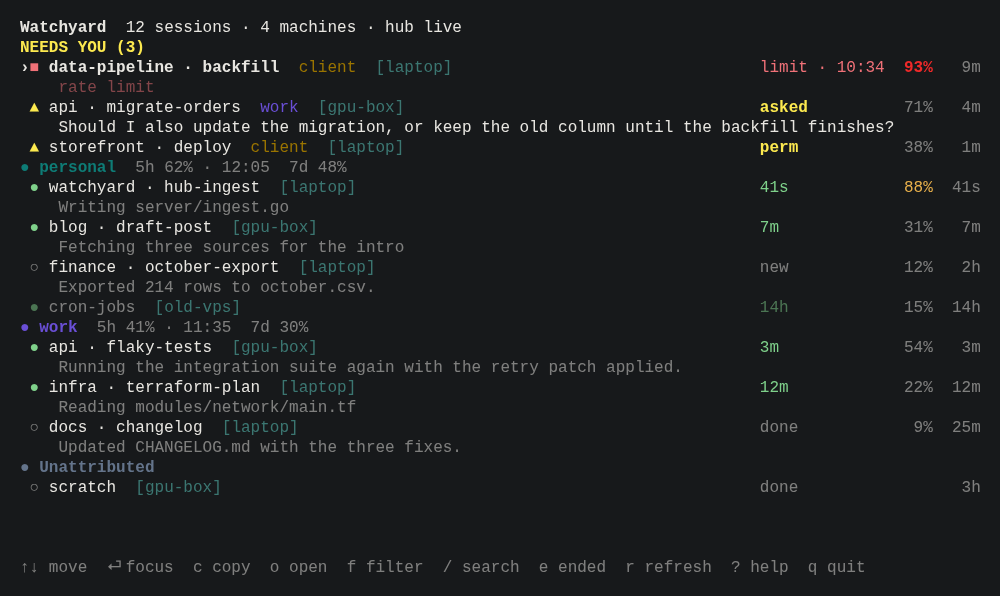
The same sessions without a browser: wy board is a full-screen board of what needs you, grouped by account, and wy board --once prints one frame.

The terminal board in a dark terminal: a Needs you group with a rate-limited session and two questions, then each account's sessions with state, context used and time in state.

Privacy and risks

  • The hub never sees cookies, tokens, prompts, code or tool output, and never contacts Anthropic. By default it gets the tail of Claude's last message in a turn, for question detection; one setting turns that off.
  • claude.ai sign-ins stay on the device. The desktop and Android tabs load claude.ai's own pages, one local session per account. Watchyard never reads, exports or sends cookies or tokens.
  • The desktop tabs present a plain Chrome user agent, because claude.ai's bot protection rejects Electron's default. It is documented, and you can skip account tabs entirely.
  • Usage reading from claude.ai is off by default, per account. It uses an internal, undocumented endpoint that can change, and automated access may go against Anthropic's consumer terms. It is your choice, and you do not need it for Claude Code.
  • Your own accounts only. Use it within your plan's terms. It never switches or rotates accounts.

Read the full privacy and risks page